SRD ID Verification: Why SASSA Checks Your Identity and What to Do
SASSA Biometric & Identity Verification AssistantHelp with SMS verification links, facial checks and failed SASSA verification.
SASSA must be sure that the person receiving an SRD grant is the person who applied. If your status shows that identity verification is needed, or you received an SMS asking you to verify, this guide explains what it means and how to complete it.
What does SRD identity verification mean?
Every SRD application is checked against government records. One of those checks confirms your identity. When SASSA needs more proof, your status may show a message asking for identity verification, or you may receive an SMS with a link.
In April 2025, SASSA in Mpumalanga said the main reasons people receive an identity verification message are that SASSA suspects fraudulent activity, or that the contact or banking details on the application are incorrect.
How SASSA checks your ID
SASSA uses several checks on SRD applications:
- Home Affairs records. Your name, ID number and other details must match the Department of Home Affairs. SASSA has said details that do not match can lead to the application being rejected.
- Facial biometric check (eKYC). SASSA’s 2026 grant booklet says all new SRD applicants must complete a facial biometric authentication, called eKYC (electronic Know Your Customer), before the grant can be approved.
- Extra checks for higher-risk changes. The booklet says changing your cellphone number, or an “approved but not paid” status, also requires a verification link and facial recognition.
When you may be asked to verify your identity
- When you apply for the SRD grant for the first time
- When your status shows “referred”, which SASSA links to suspected fraud. See What SASSA referred means.
- When you change your cellphone number on your application
- When your status shows approved but no payment has been made
- When your contact or banking details do not match your identity
How to complete SRD ID verification
- Check your SMS messages. SASSA sends a verification link to the cellphone number on your application.
- Act within the time limit. In April 2025 SASSA said the SMS link must be used within 72 hours.
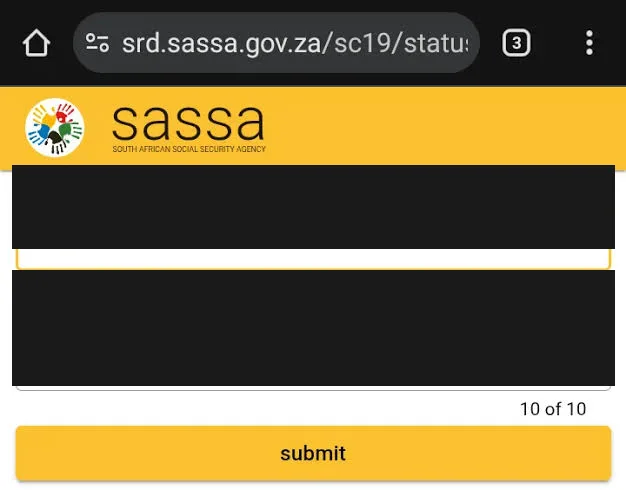
- Open the link, or log in at the SRD website. If you did not receive a link, the 2026 booklet says applicants can log in to srd.sassa.gov.za and request one.
- Complete the facial check. Follow the instructions on screen. You will normally need a phone with a working front camera, good lighting and your face clearly visible.
- Check your status afterwards. Once verification succeeds, your application continues to be assessed for that month.
If you cannot verify online
SASSA has said you can complete identity verification at your nearest SASSA local office. Take your green barcoded ID book or smart ID card. If the online check keeps failing, see SASSA biometric verification failed.
What happens if you do not verify?
SASSA has said that not completing identity verification will delay your grant, and you will not be paid until it is done. Verification does not guarantee approval. Your application still has to meet the other SRD requirements, such as the income test. Our SASSA SRD eligibility guide explains these.
Tips for a smooth verification
- Make sure the phone number on your application is in your name and still works.
- Use the name and ID number exactly as they appear on your ID document.
- Do the facial check yourself. Someone else cannot complete it for you.
- Do not keep changing your phone number or banking details, as SASSA says this slows things down.
Protect yourself during verification
SASSA’s Mpumalanga spokesperson said in April 2025 that “there is no short cut” and warned beneficiaries to avoid strangers offering help. Only use links that lead to sassa.gov.za, and never share your one-time PIN (OTP) or banking PIN with anyone. Read more about SASSA scams.
Frequently asked questions
Is SRD ID verification the same as biometric verification?
What if my SMS link has expired?
Can I verify my identity on WhatsApp?
Does ID verification have to be done every month?
Final thoughts
SRD ID verification protects your grant from people who might misuse your ID. If SASSA asks you to verify, use the link quickly, complete the facial check on the official SRD website, and visit a SASSA office if the online process does not work.